
Designing for families requires emotional intelligence
Kinnect • Family tree
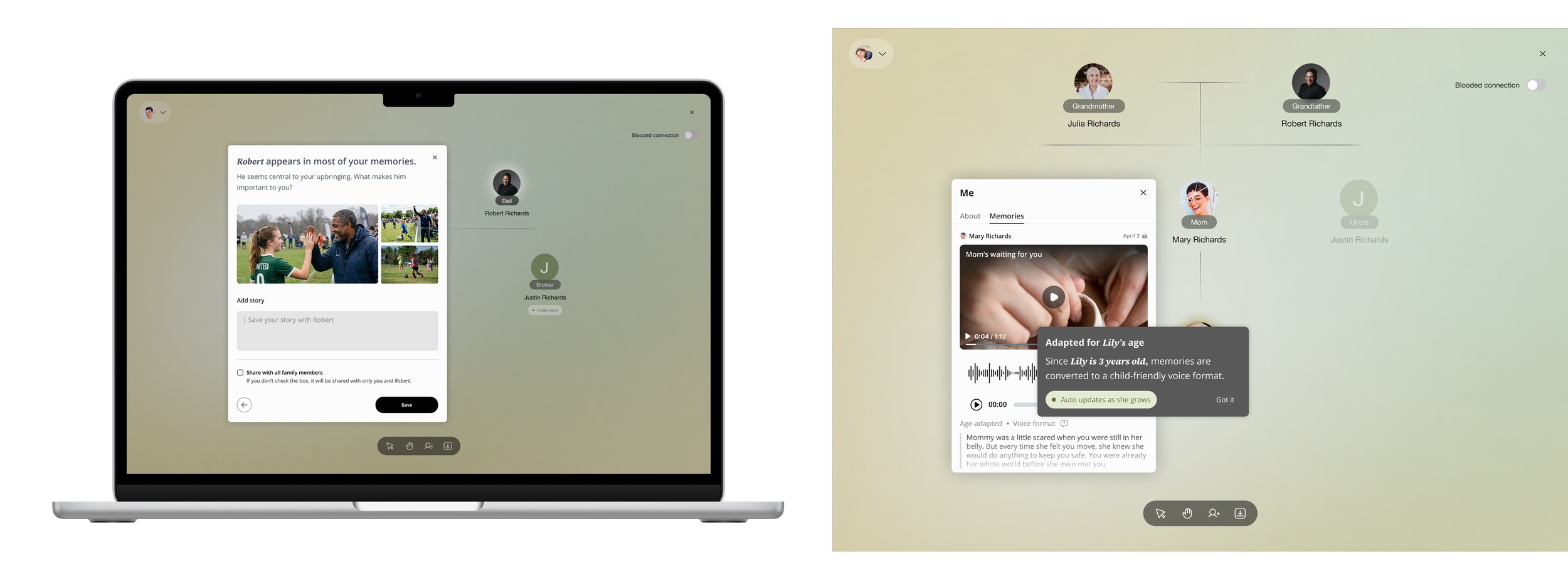
Redesigned the feature flow and integrated it across the product ecosystem.
Identified opportunities to extend the concept into a 0-to-1 prototype.
Role
2025
Family social media platform
Background
Mapping a family tree sounds simple until you realize "family" means something different to everyone.
During a company merger, Kinnect needed to build a family tree feature. I led the design of an AI-powered conversational onboarding paired with role-based permissions that capture the emotional complexity of how people actually define family, not how traditional genealogy tools assume they should.
Reconceptualize the feature as an inclusive family type
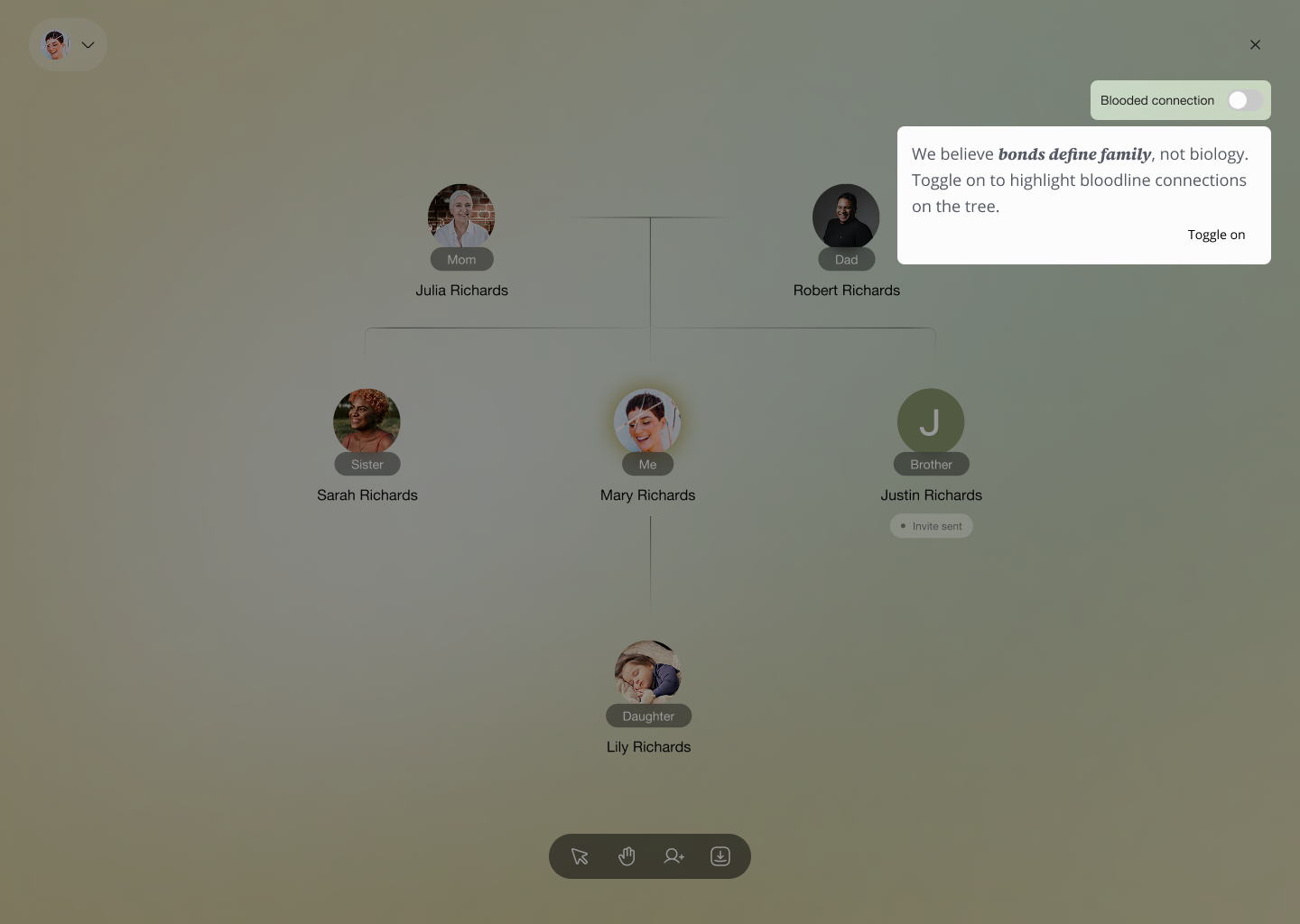
Option. A
Conversational + Selection
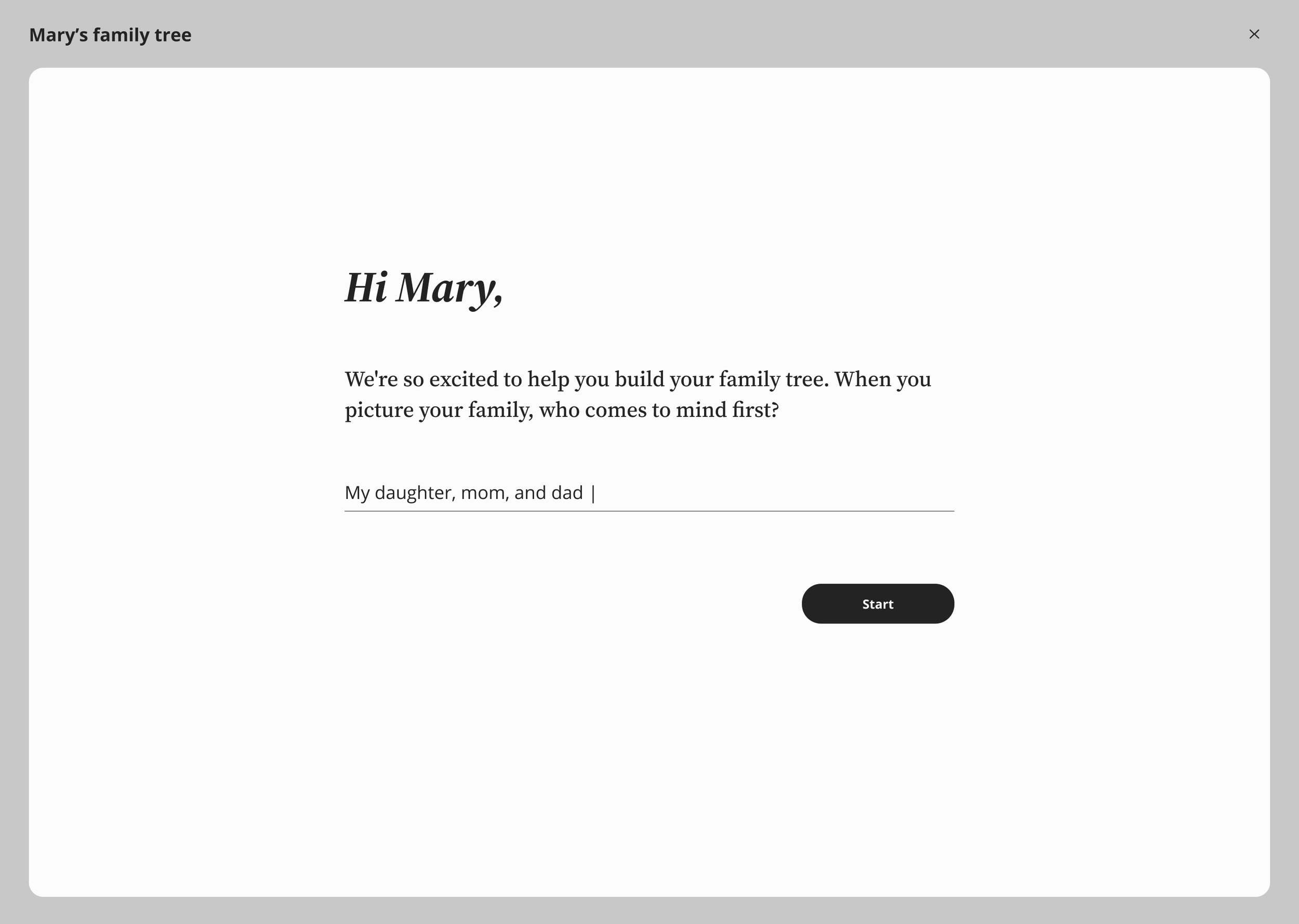
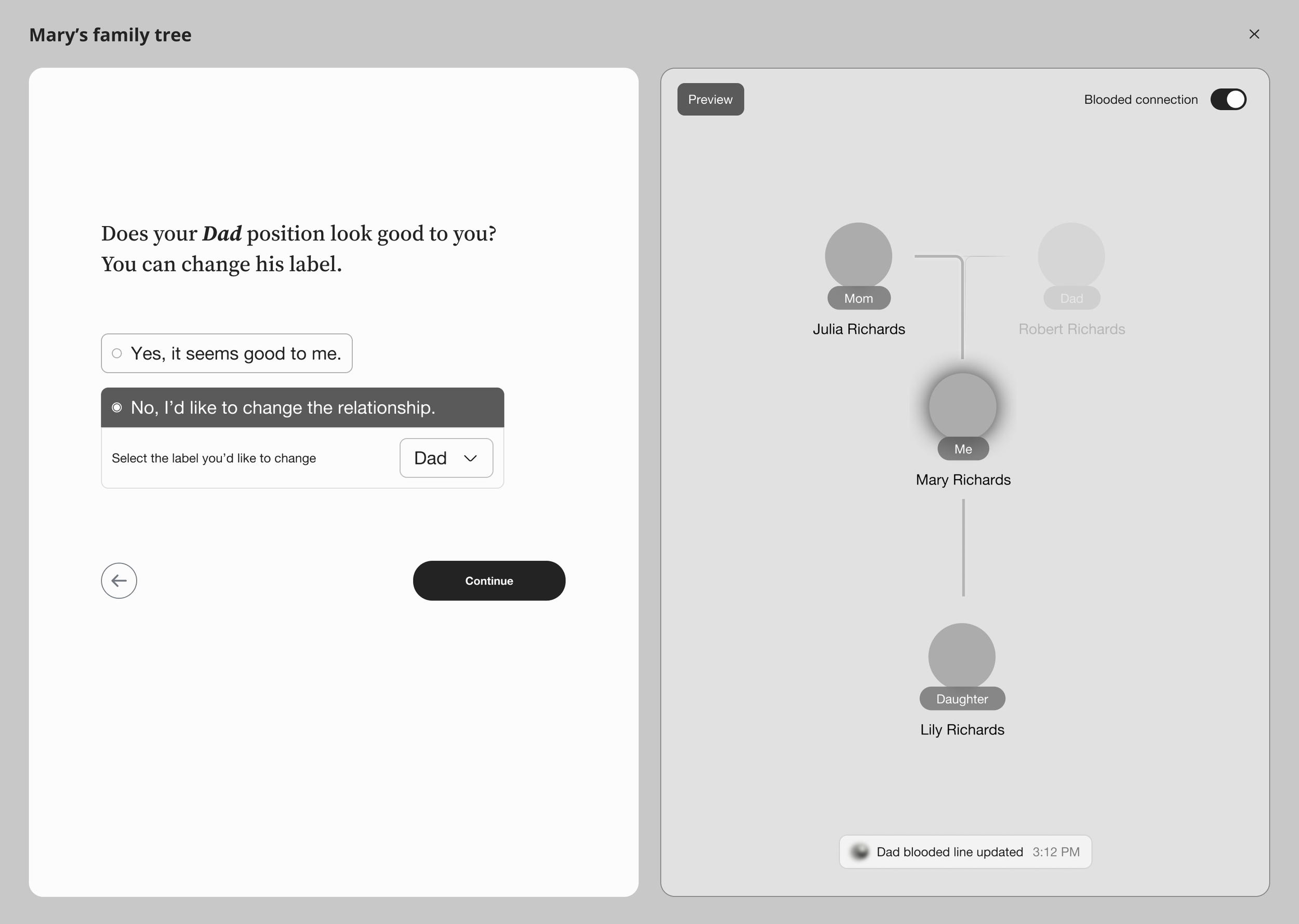
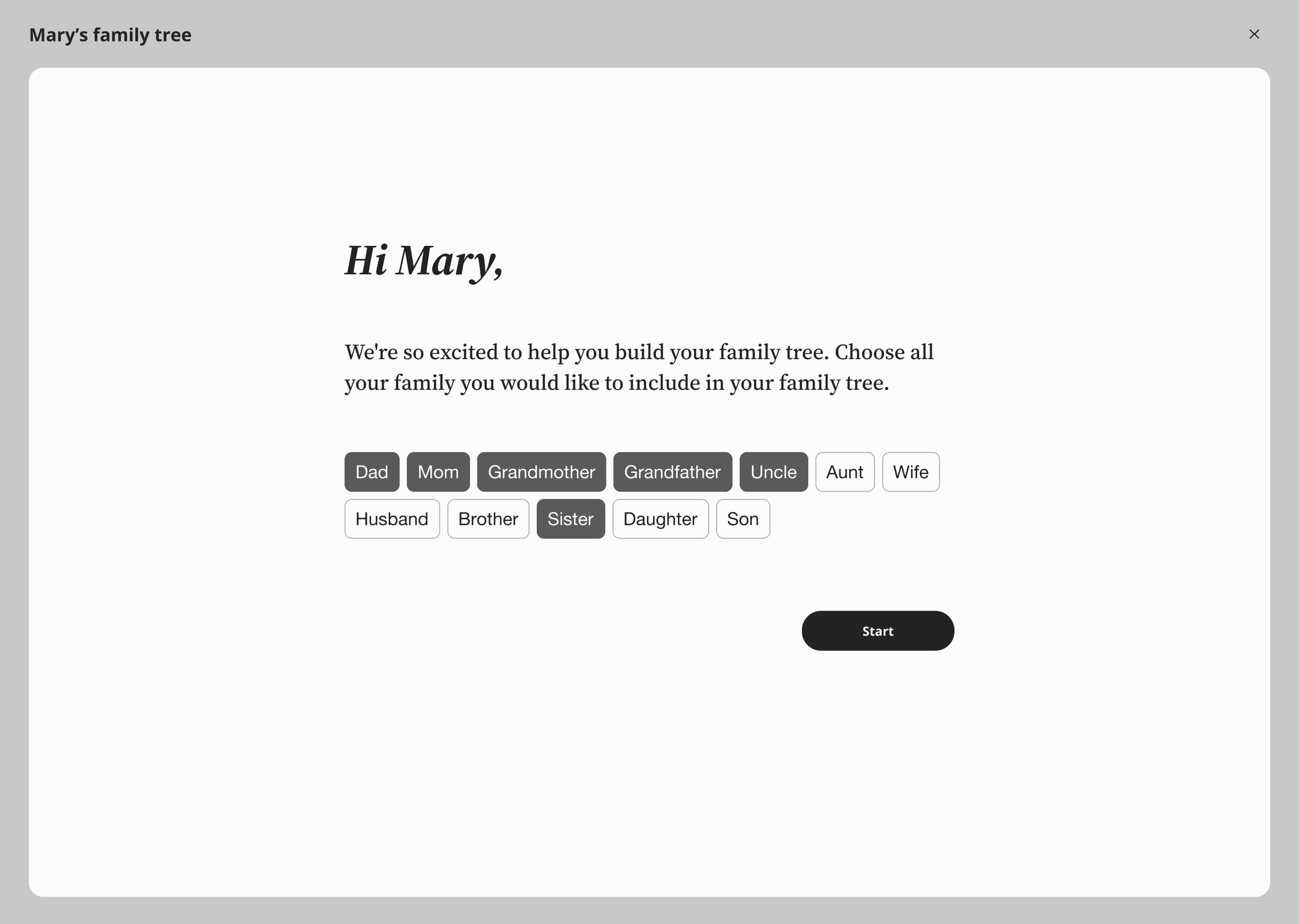
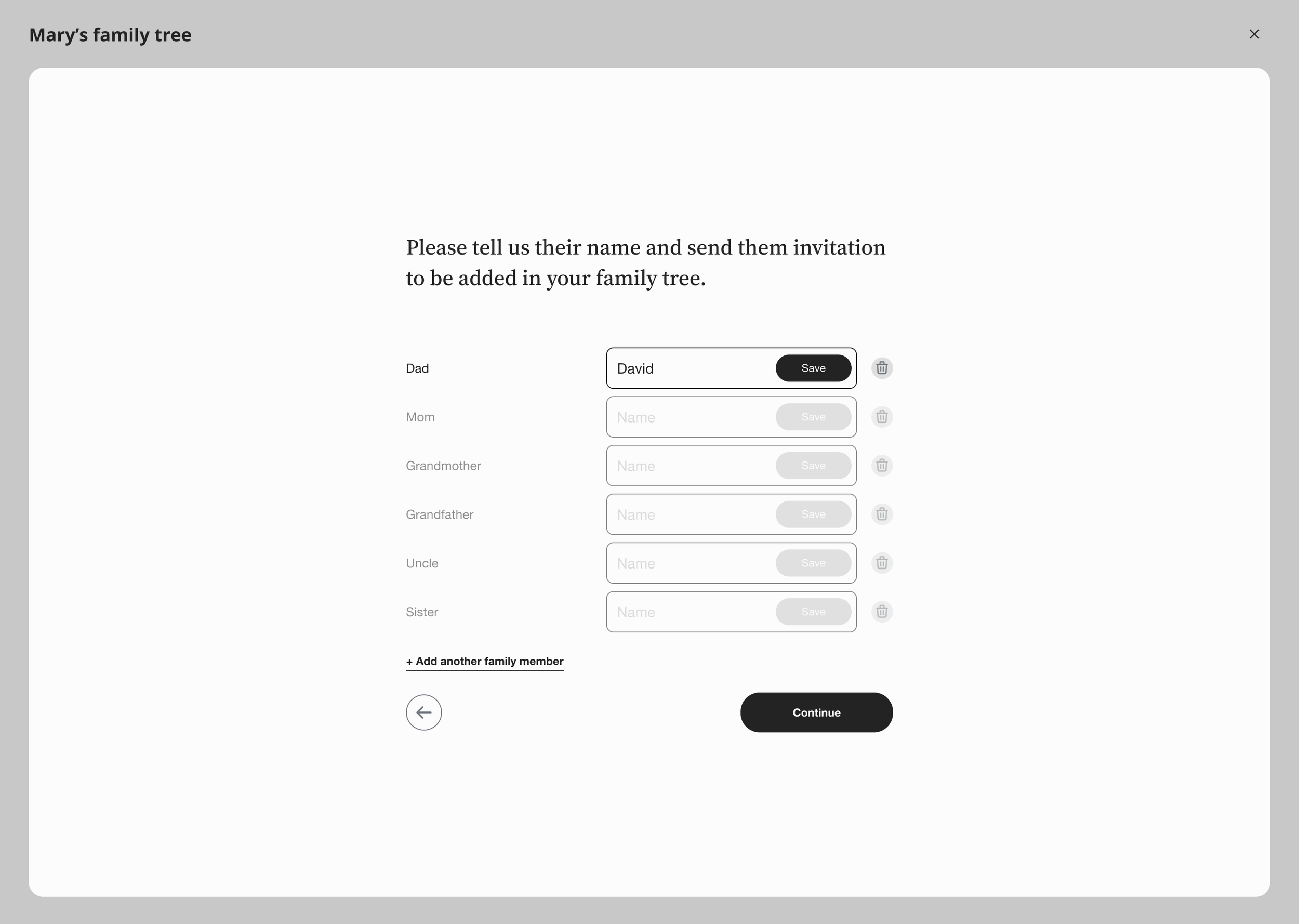
Option. C
Full Conversational
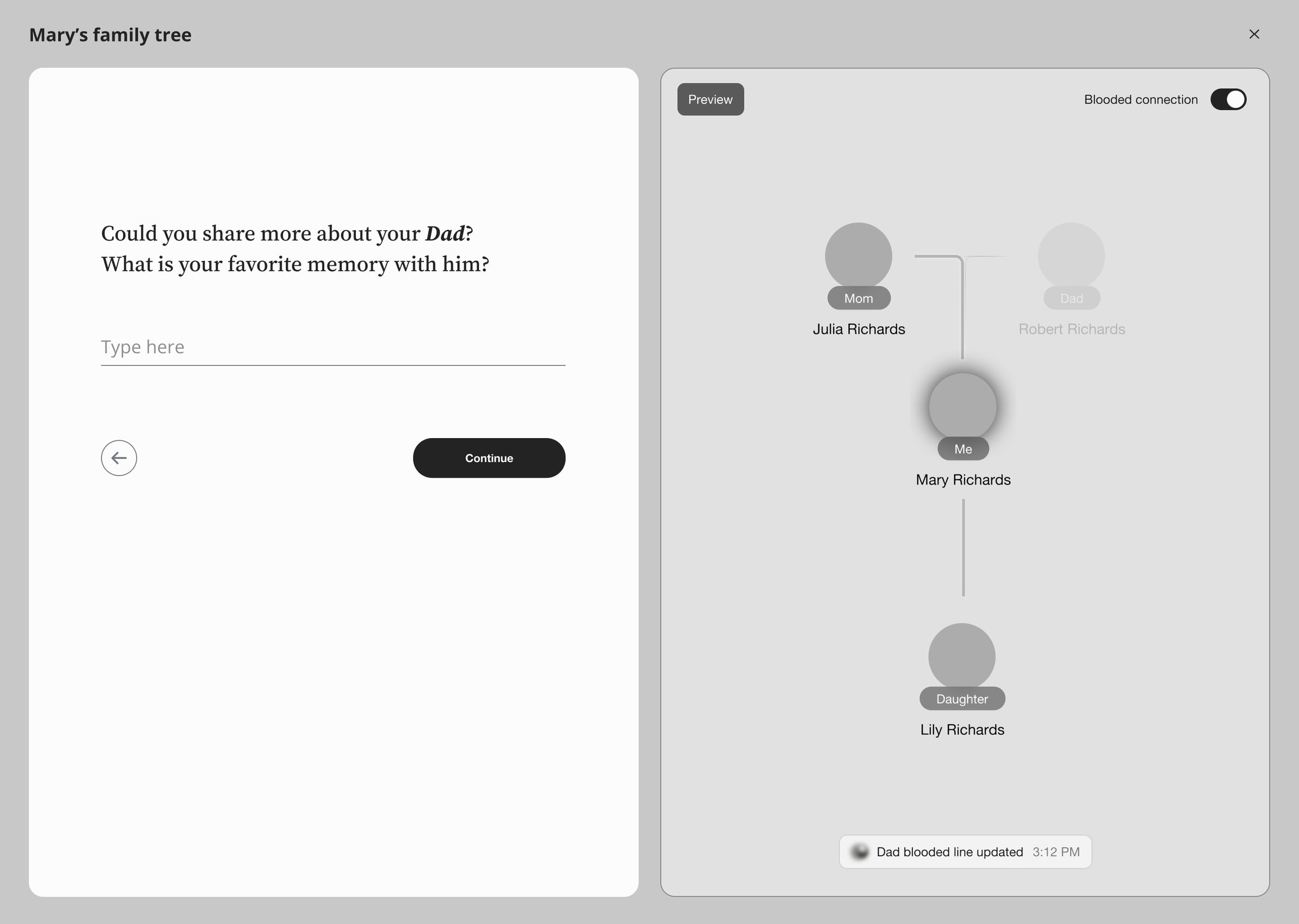
Option. B
Full selection
Challenge: How does a family tree feature fit into Kinnect's existing product?
Kinnect started as a social platform for family connection and safety. Why would Kinnect users use the family tree? What does it connect to? How does it make the other features better?
The risk: Building a feature that users fill out once and never touch again.
01. Making Family Tree Fit the Product Ecosystem
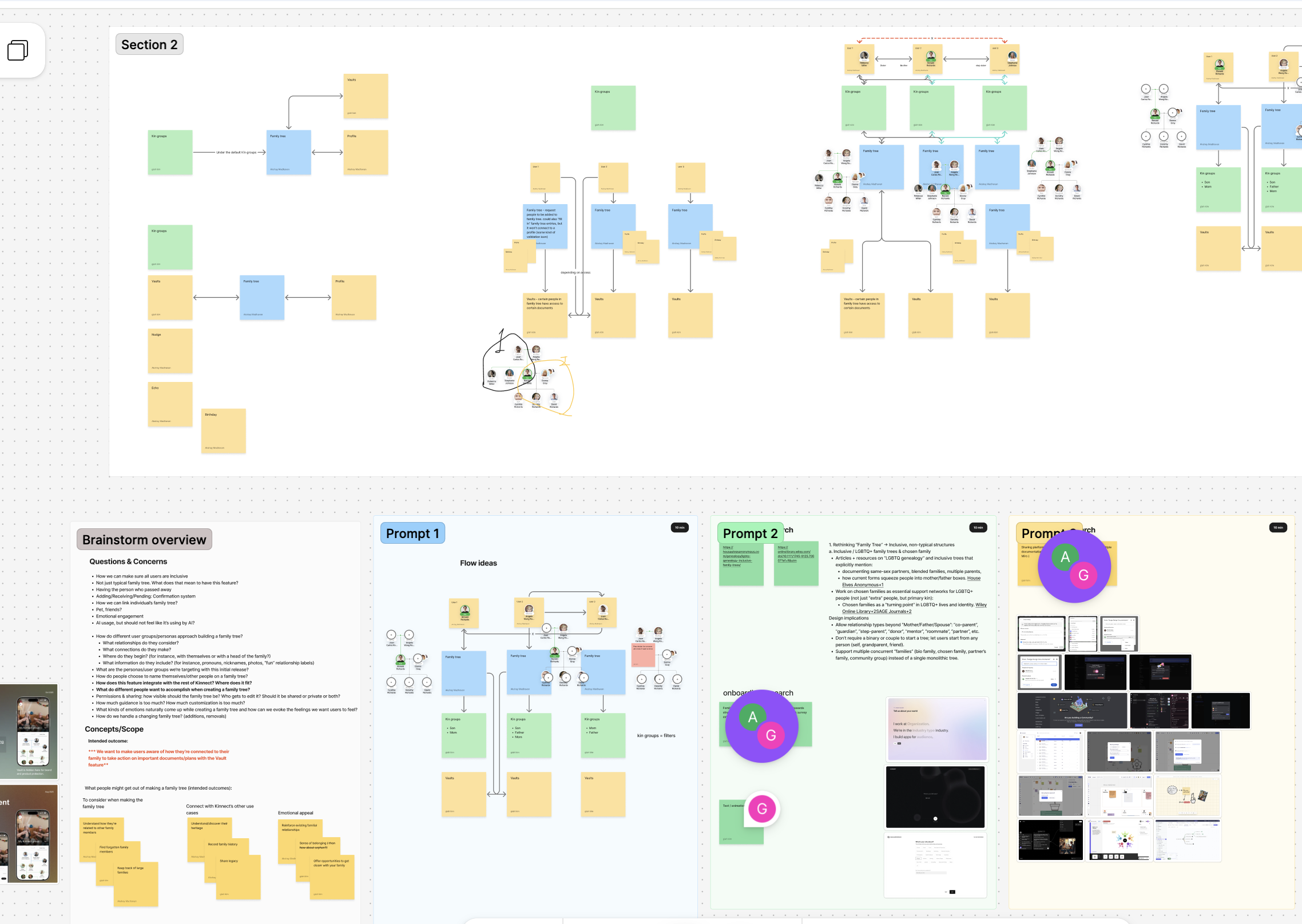
Approach: Mapped out all the touchpoints where the family tree could interact with existing features
Vault connection: When you share a will in the vault, the family tree shows who has access visually
Contact context: When you message someone, you see how they fit in your family structure
Onboarding bridge: The family tree conversation helps users understand who to add to their vault permissions
Trust visualization: The tree becomes a visual representation of your trust network, not just genealogy
Takeaway:
The hardest design work happens before you touch any interface. Understanding how a feature fits into the larger product ecosystem shapes every decision that follows.
Challenge: Traditional family tree tools start with a form: 'Add your mother. Add your father. Add siblings.'
But in our internal survey (Kinnect users), we found many users struggled to fit their family types in the traditional family tree tool.
02. AI Onboarding Tradeoffs
We had two main approaches to consider:
Option A. Start with the visual tree
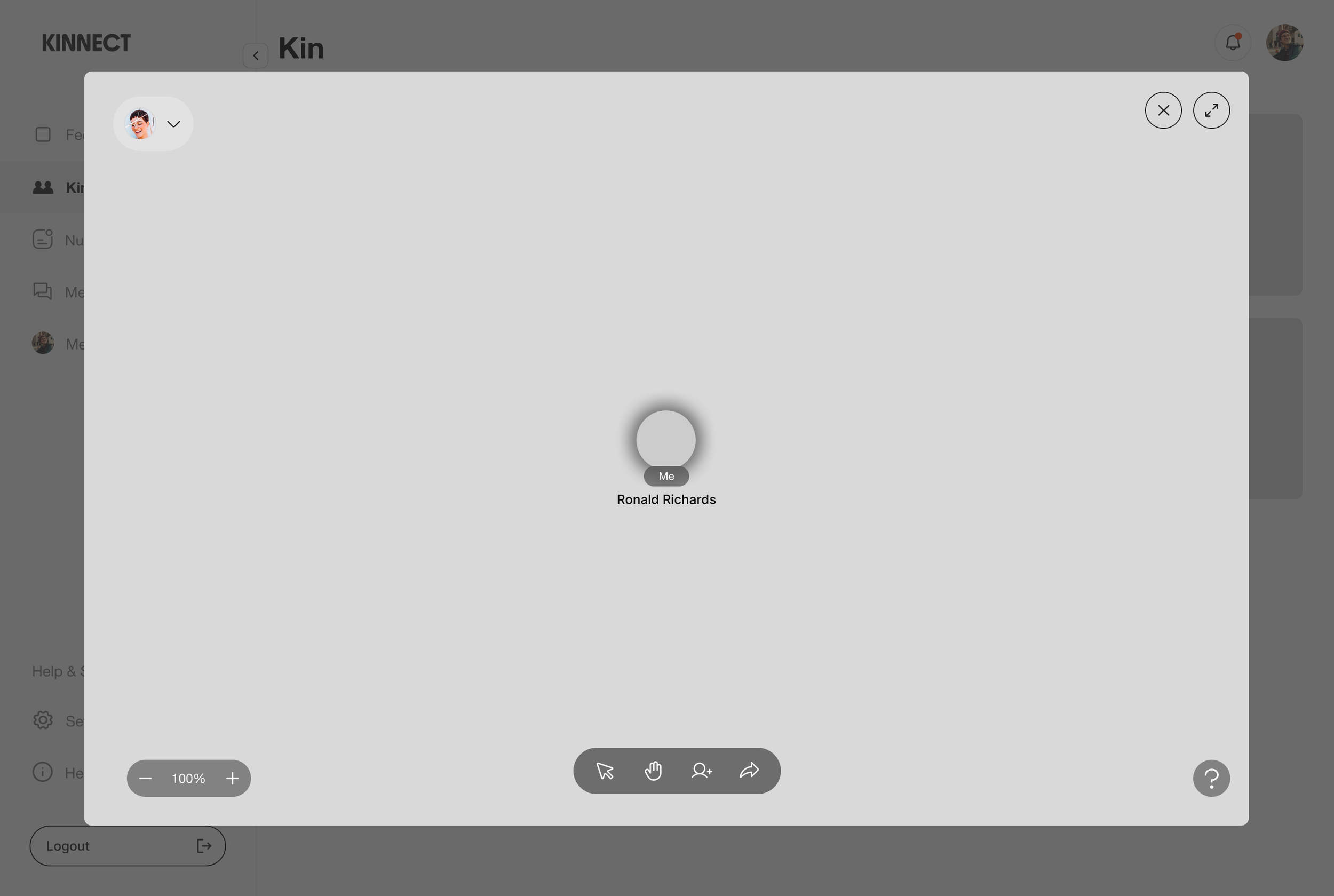
Users click directly on the tree to add family members. Visual and intuitive. You see what you're building.
Option B. Start with conversational onboarding
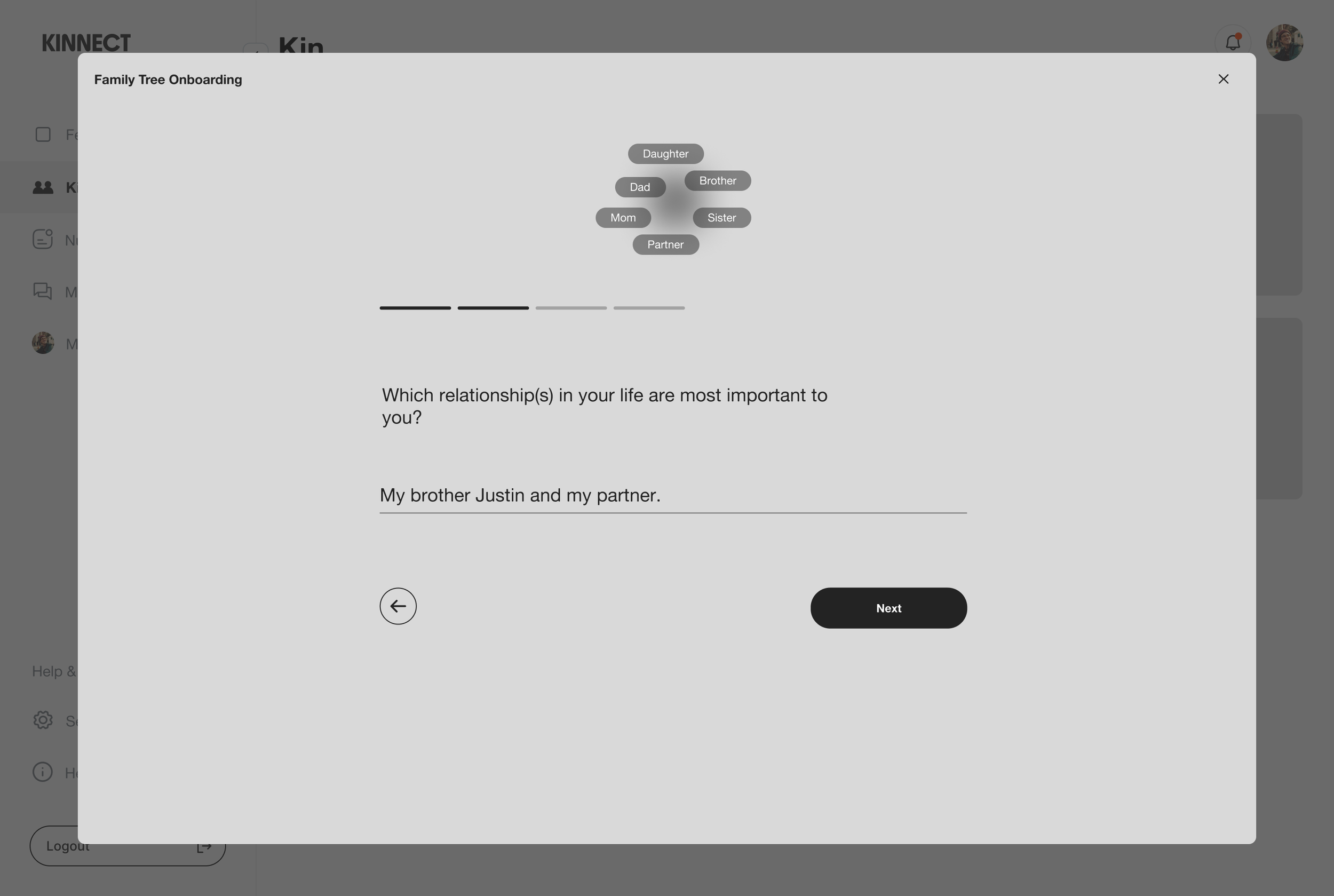
Users describe their family first, then see the tree (AI-powered). Less visual initially, but more emotionally accessible. Novel approach with higher risk.
From Narrative to Design decision
Dad: John
Mom: Mary
Step Dad: David
VS
My stepdad has been in my life since I was 5. He raised me. My dad lives across the country with his new wife and my half-sister. I often talk with my Dad, but I’m still having a hard times to get closer to my half-sister.

Lower barrier to entry
A conversation felt more natural: "Tell me about your family" vs. "Build your family tree."
Starting with conversation let users express these nuances before we asked them to formalize it structurally.
Captured emotional complexity
Deeper understanding of family relationships improves personalized content across the app's other features.
Better user data quality to understand
The AI Exploration with the team
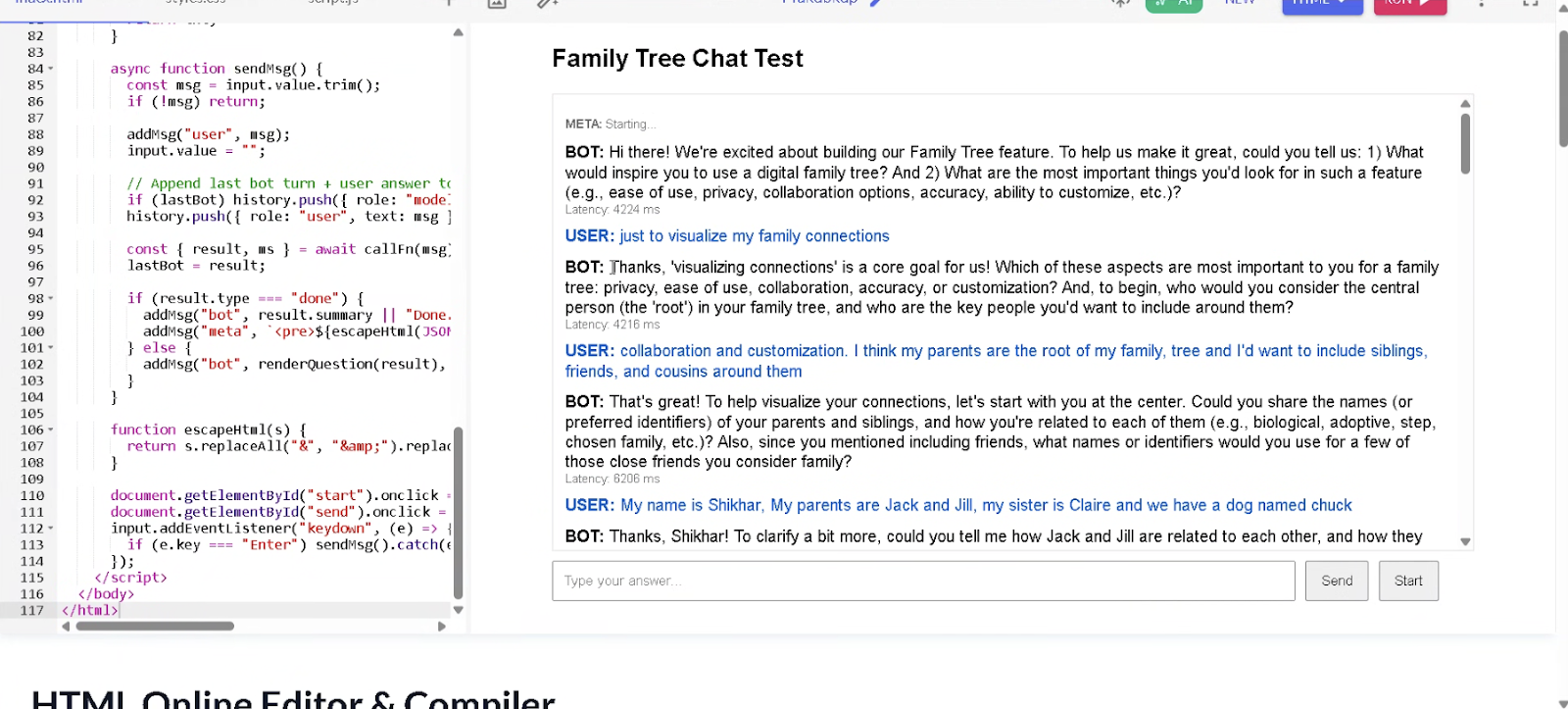
Users describe relationships in their own words, AI parses it, generates an initial tree, and the user confirms or adjusts
The tradeoffs I accepted to Choose Option B:
Risk
Less immediate gratification

Users don't see the visual result right away. They have to answer questions first. This could feel slow or abstract.
More technical complexity

AI parsing or even guided questionnaires require more engineering work than a simple "add person" button on a tree.
Assumes users can articulate relationships

Some users might prefer visual/spatial thinking over verbal description.
Solution
Progress visibility

Designed the conversation to feel fast (5 to 7 questions max for basic tree) and showed progress indicators.
Scoped implementation

Partnered closely with engineering early to scope what was feasible. Phase 1 planned with a structured questionnaire instead of full NLP to reduce risk.
Flexible entry points

Always allowed users to skip onboarding and go straight to manual tree building. The conversation was the recommended path, not the only path.
03. From Users to Design: Privacy, Permissions, and Scale
The family tree isn't just a visualization. It's a shared space where families manage sensitive information: wills, legal documents, and personal relationships
Enable collaboration (family members adding to the tree together)
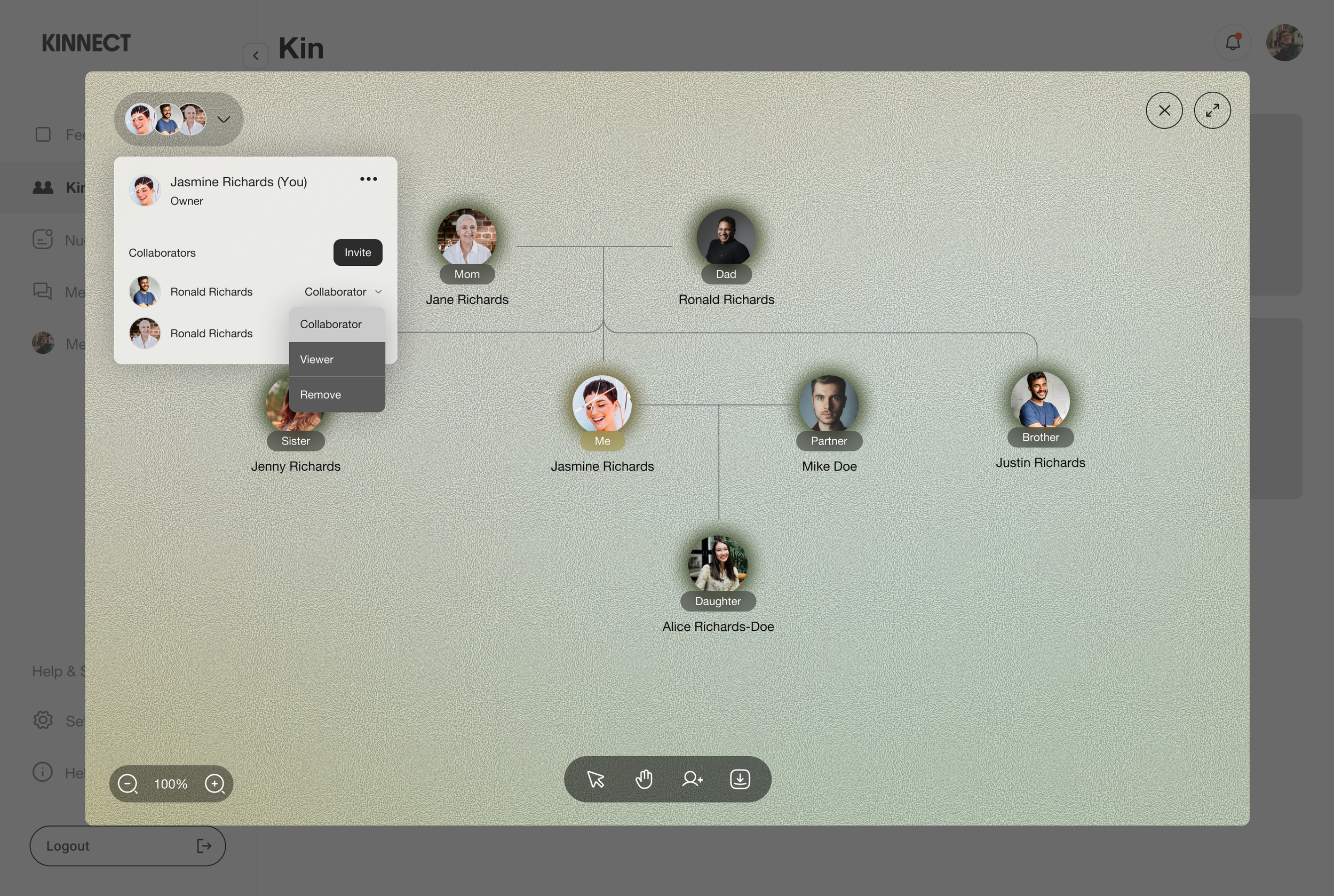
Dad doesn't want to struggle building his own tree, but he's willing to see the family tree and share his will with family members
Maintain control (prevent privacy and preference to view family members)
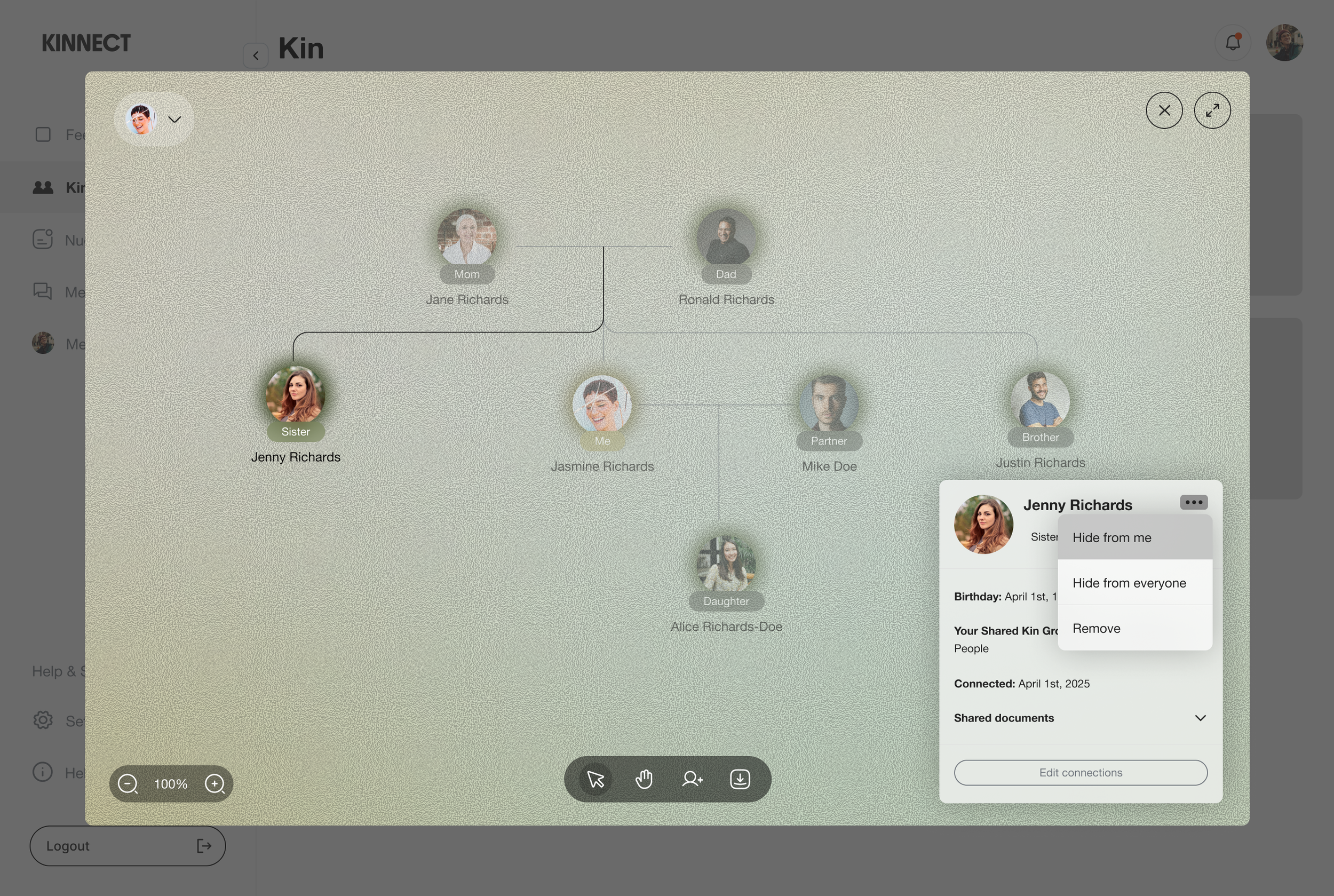
My mom doesn’t want to see her sister while they are in the same collaborative family tree.
Scale with complexity (Different family structure based on different cultural background)
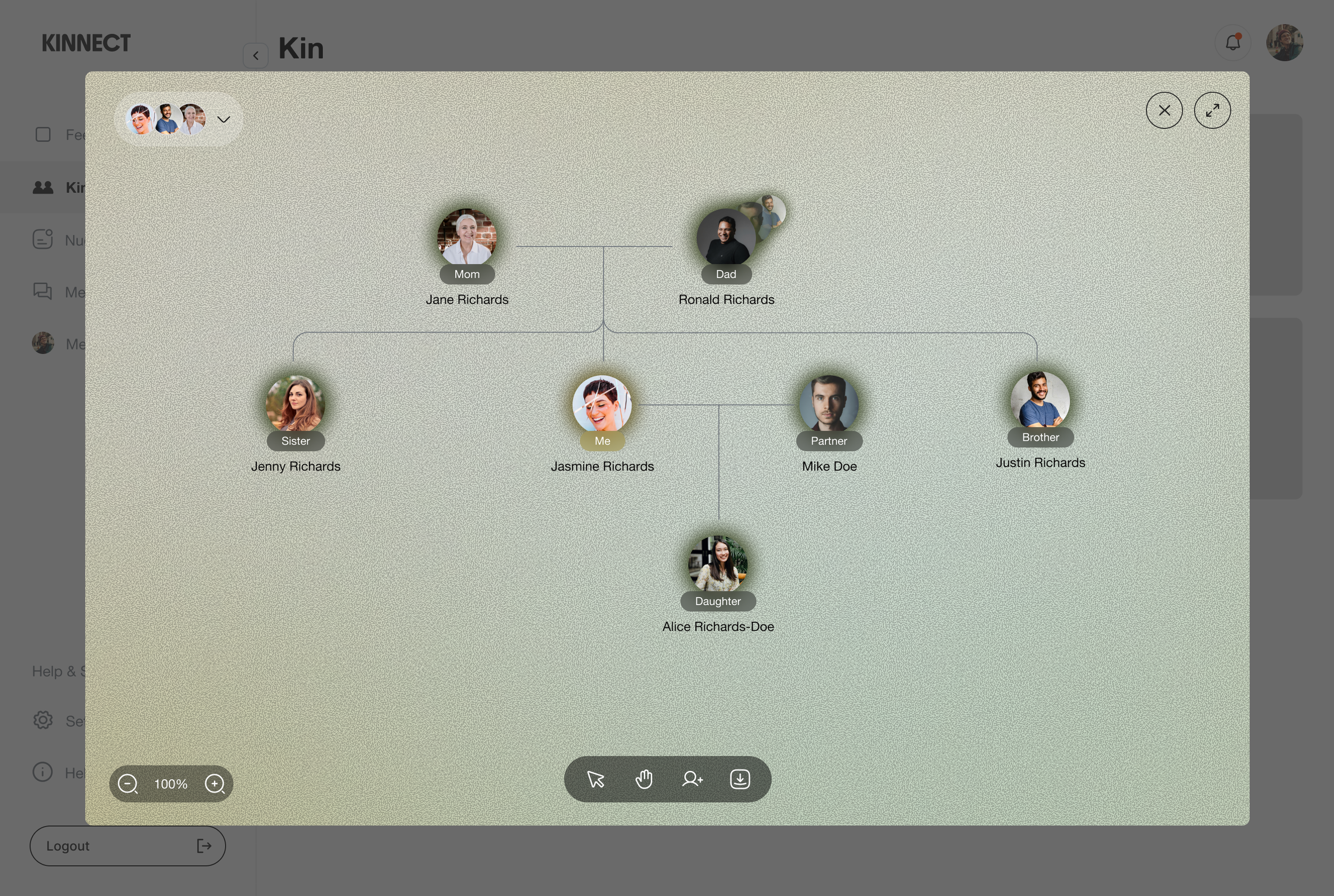

Based on user interviews, in some cultures, family extends far beyond parents and siblings. A user needs to see their immediate family first, then progressively explore aunts, uncles, and cousins without visual chaos.
Takeaway:
Sometimes the less obvious path is better. Every competitor used the visual tree-first approach, but our user interview showed it wasn't working for many users. This taught me to question inherited patterns in design. Just because everyone does it that way doesn't mean it's the best solution for our specific users and context.