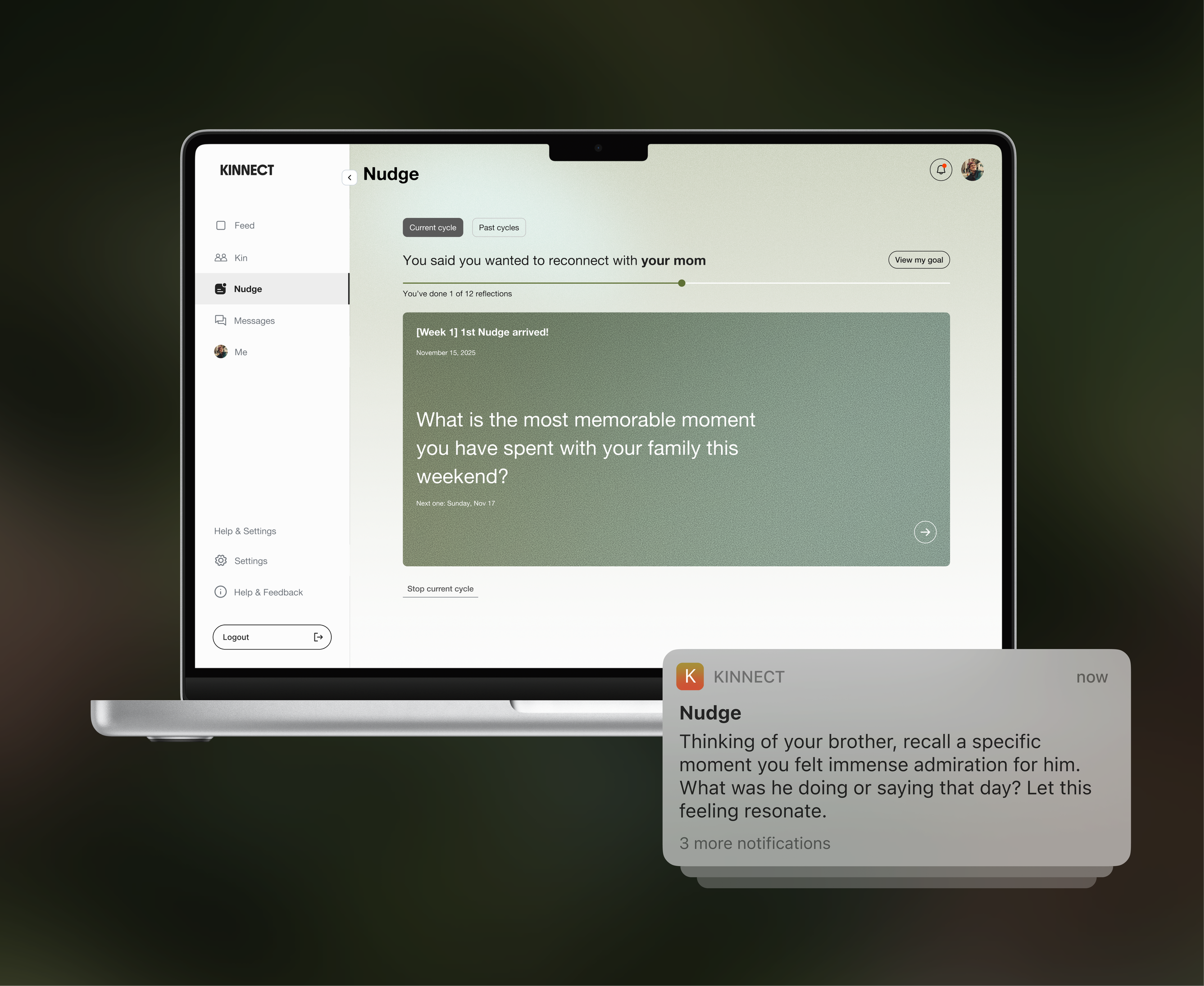
Kinnect · Nudge feature
Adapting a Mobile Push-Notification Guided Relationship Program for the Web
Experience design
Web
Duration
2025.09 ~ 2025.11 (3 months)
Role
User research, UI/UX design, Prototype
Team
Design (1 UX lead, 1 UX Designer), Engineer (Development, AI)
Background
How can we use personalized notifications to inspire small, consistent acts of connection?
Nudge Cycles guide users through 30 days of simple, intentional reflections designed to help them reconnect, show up, and stay close to the people who matter.
Challenge
Kinnect introduced personalized push notifications to encourage small moments of reflection that strengthen relationships. But a notification alone was not enough. The experience needed a dedicated place where users could return, reflect, and engage with the guidance more meaningfully.
Although the idea started from mobile notifications, the web platform was launching first. This meant translating a mobile-centered concept into a web-first reflection experience that felt intentional, easy to navigate, and aligned with Kinnect’s broader product ecosystem.
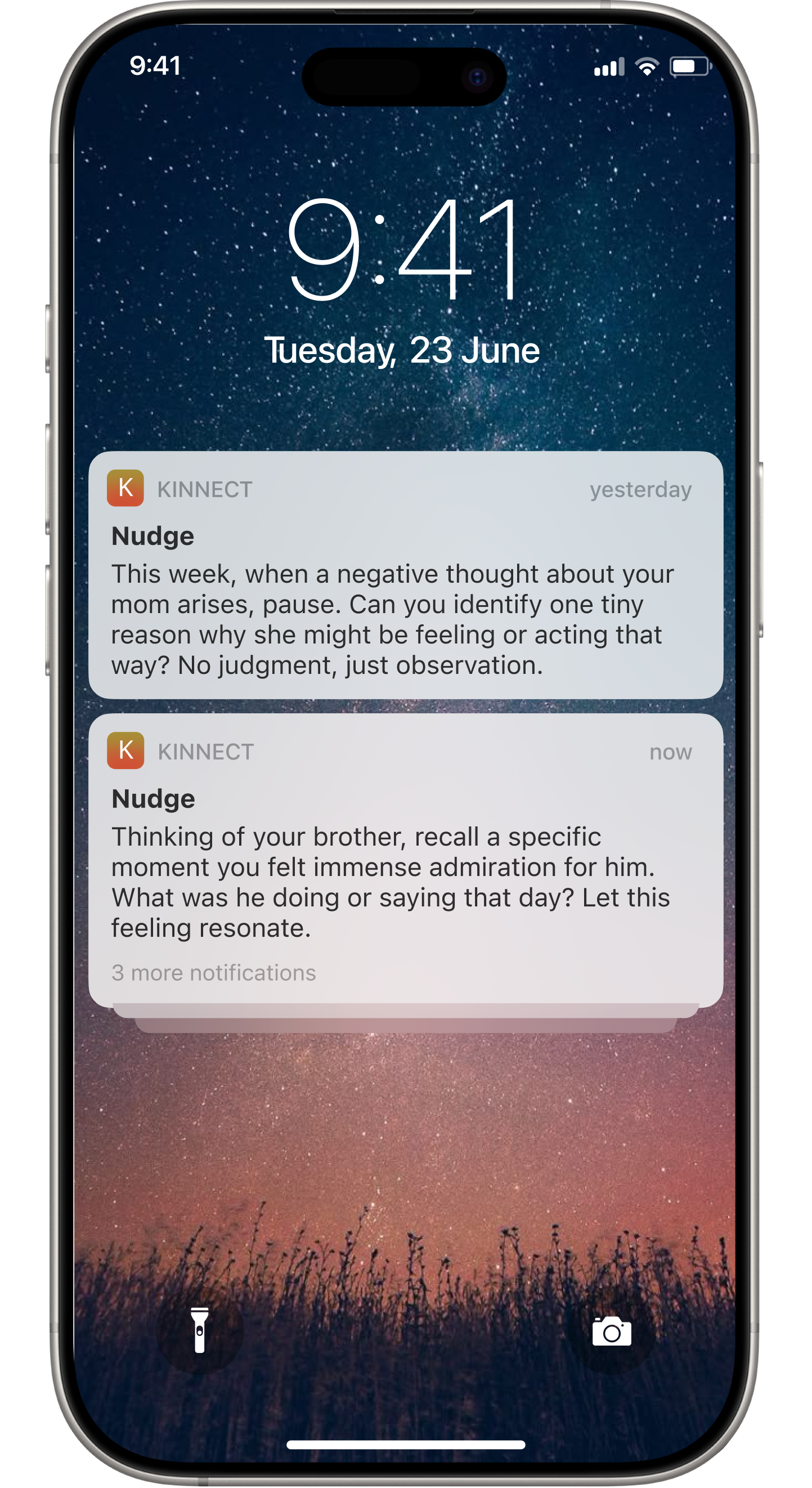
Transforming personalized push notifications into a structured web reflection environment that encourages deeper moments of engagement
Design approach
Designing for the web upfront allowed team to establish scalable interaction patterns and components that could later extend to mobile with minimal rework.
Goals
1. Create a dedicated home for guided reflections
Provide a clear, focused space where users can revisit prompts, reflect with intention, and build a meaningful habit over time.
2. Translate a mobile-first idea into a web-first experience
Adapt the core interaction model of a push-notification feature for the web in a way that feels natural, accessible, and platform-appropriate.
3. Support deeper emotional engagement
Design an environment that encourages users to slow down, reflect, and nurture their connections.
Need to update
Design approach
Need to update
01. Discover
Users responded lack of reflection space reduced the purpose of usage Nudge feature.
Survey with 81 participants to find pain points in mentoring platforms
Competitive analysis of four competitors to find mentoring gaps
User interviews with 5 participants to explore mentoring user needs
Another survey with 30 users on digital entertainment mentoring needs
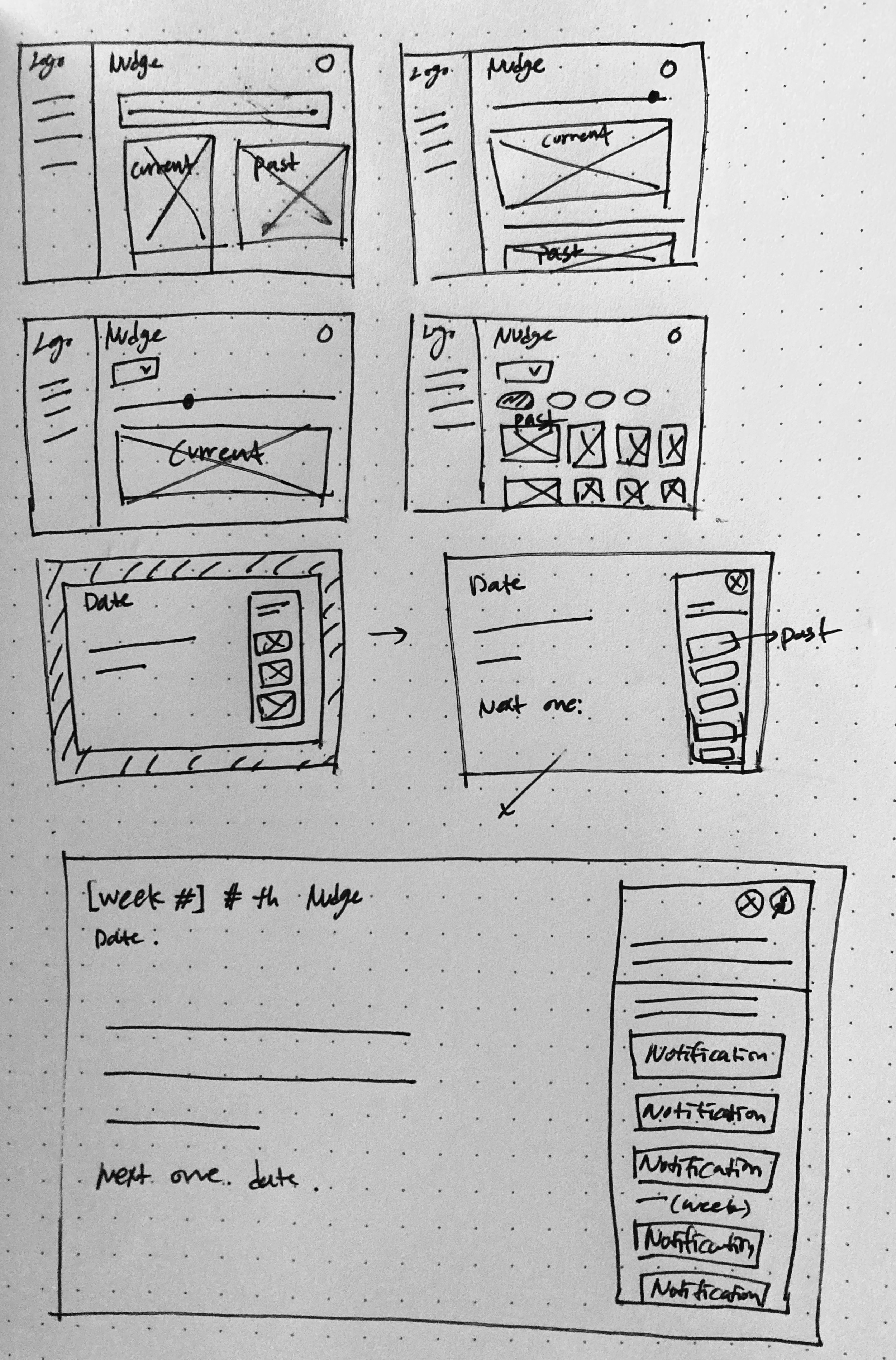
Screenshot of low fi sketch and frames via Figma
02. Define
Users
Mapping user journey “happy path” to illustrate ideal flow
Structuring information architecture for clear navigation
Syncing with development team to understand technical scope
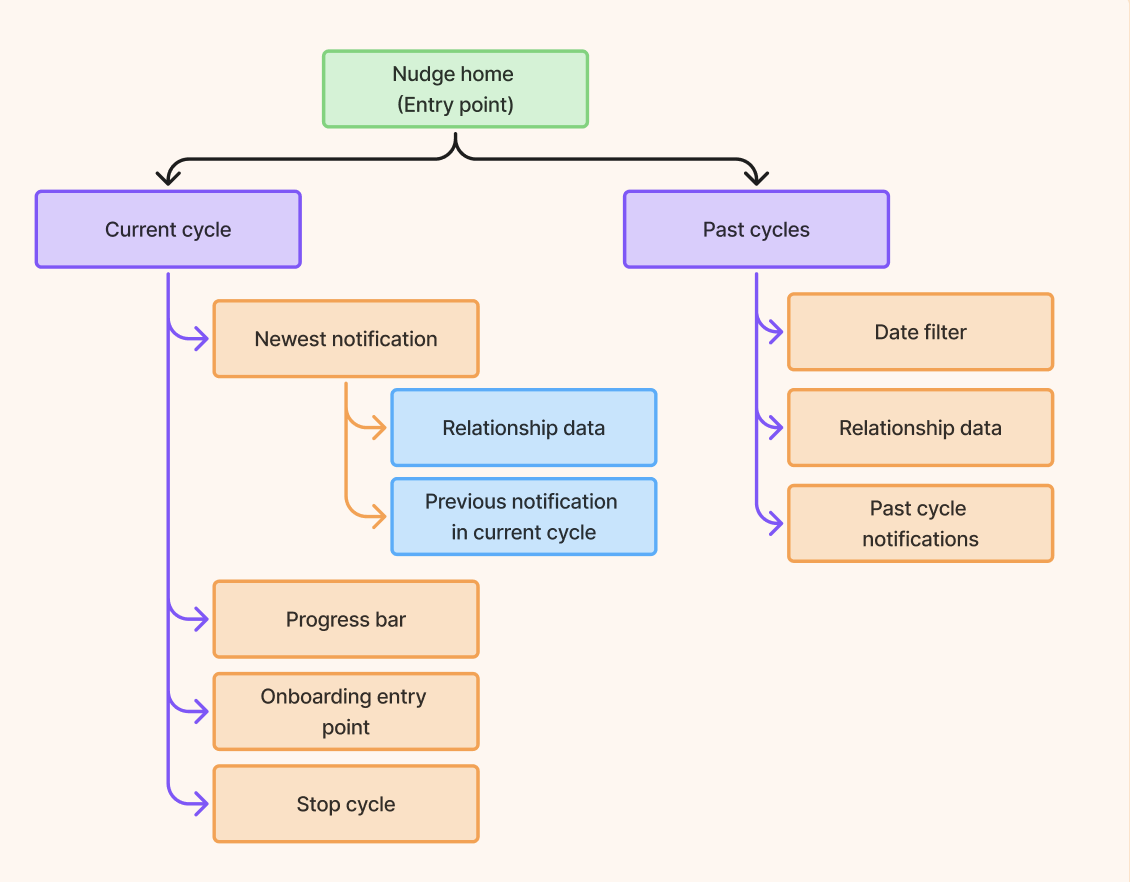
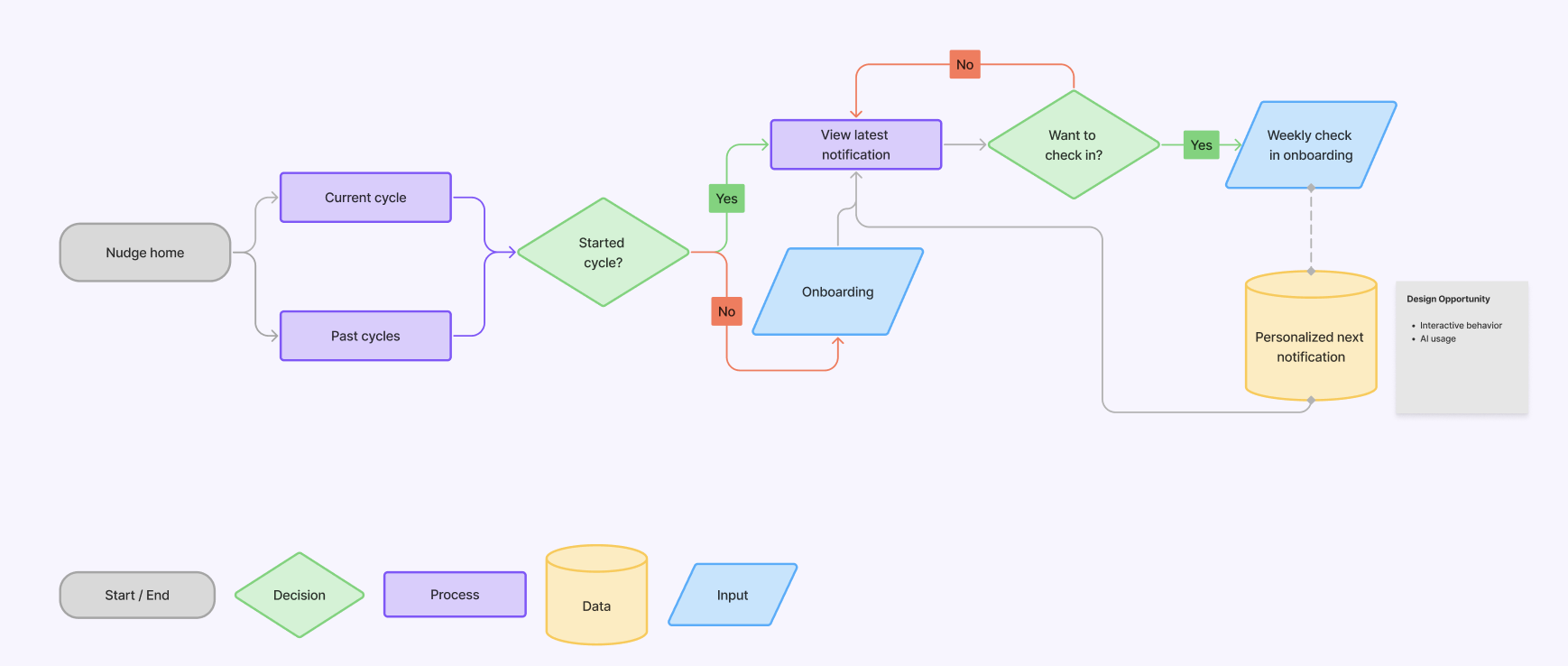
Screenshot of a IA and user flow created in Figjam
03. Develop
Users need a dedicated space to reflect their notification task
Explored low fi wire frame to create the user flow.
Integrating reflective space to enhance usage.
Created weekly iterations to improve usability.
Built prototypes to test emotional engagement.
Discussed with the AI team to enhance personalized experience to enhance user flow.
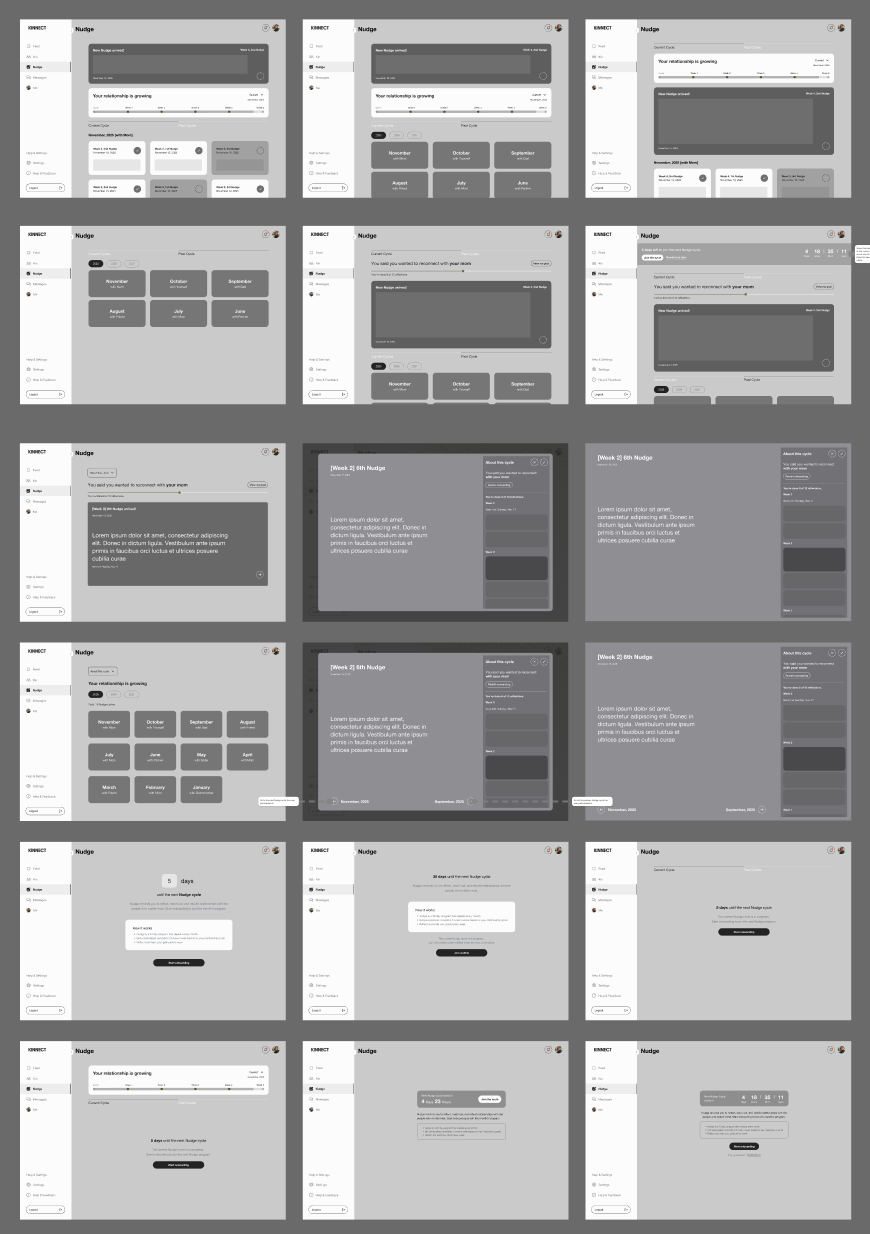
Screenshot of low fi sketch and frames via Figma
04. Deliver
Need to update
Created an MVP in Framer showcasing key interactive features
Designed three AI mentors in Spline with 3D visuals
Aligned with product manager to ensure technically feasible solutions
Developed high-fidelity prototypes demonstrating final user experience
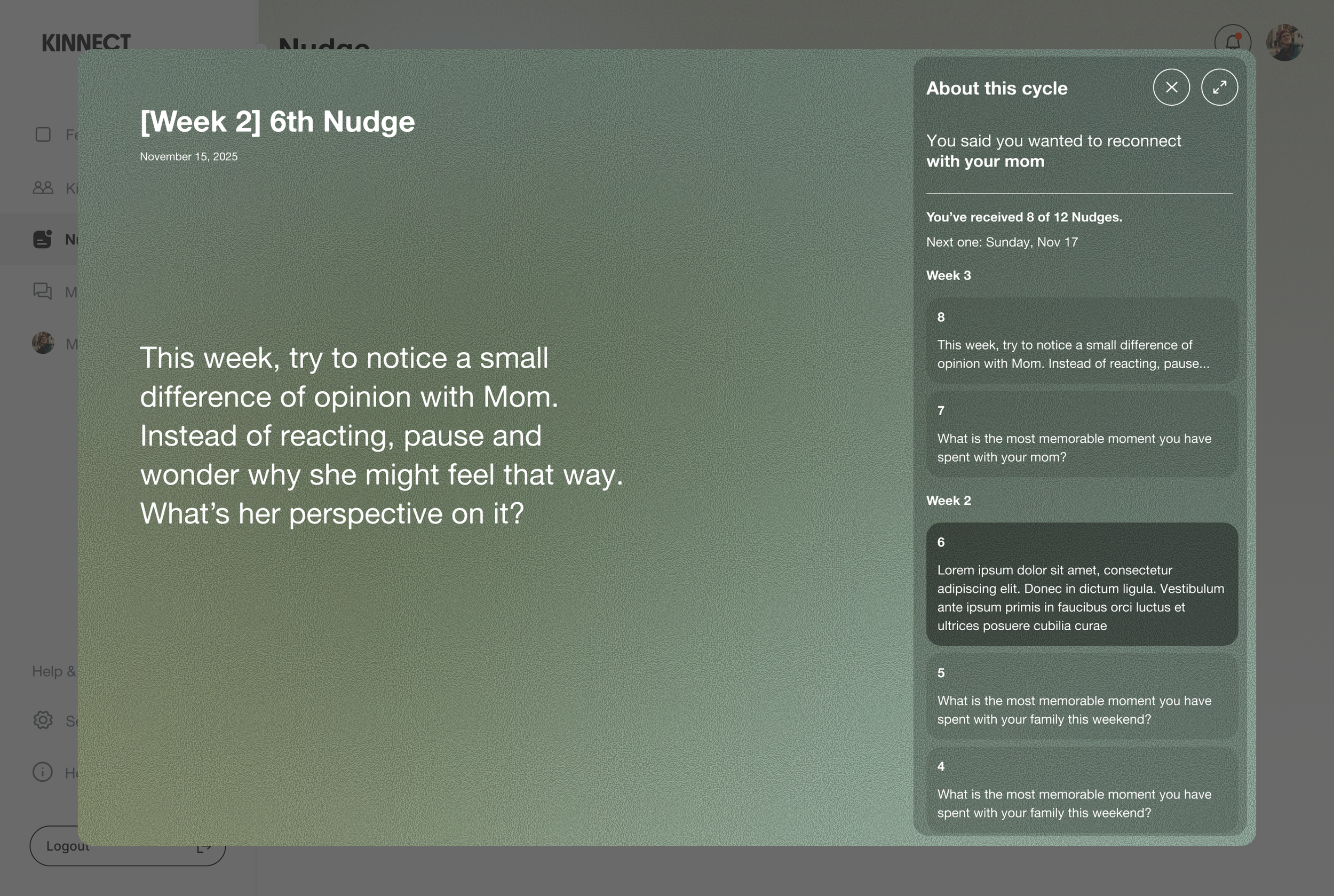
Screenshot of high-fidelity in Figma
Need to update
Translating pain points to solutions
Need to update
Problem
Users often feel unsure about what to ask the AI mentor, leading to unproductive conversations.
Need to update

Need to update

Users exploring K-pop, Hip-hop, and other fields receive identical advice, reducing relevance and engagement.
Users struggled to follow the mentor’s voice-only answers, especially in noisy or shared environments.
Need to update

Solution
Need to update

The mentor now displays sample questions and guide text, helping students start meaningful interactions and get relevant support.
Need to update

Users can now select their focus area, allowing the AI to tailor questions, tips, and insights to that genre.
Need to update

We included subtitles to help users follow the dialogue more easily and better retain important information.
User feedback 01
Need to update here
Need to update here
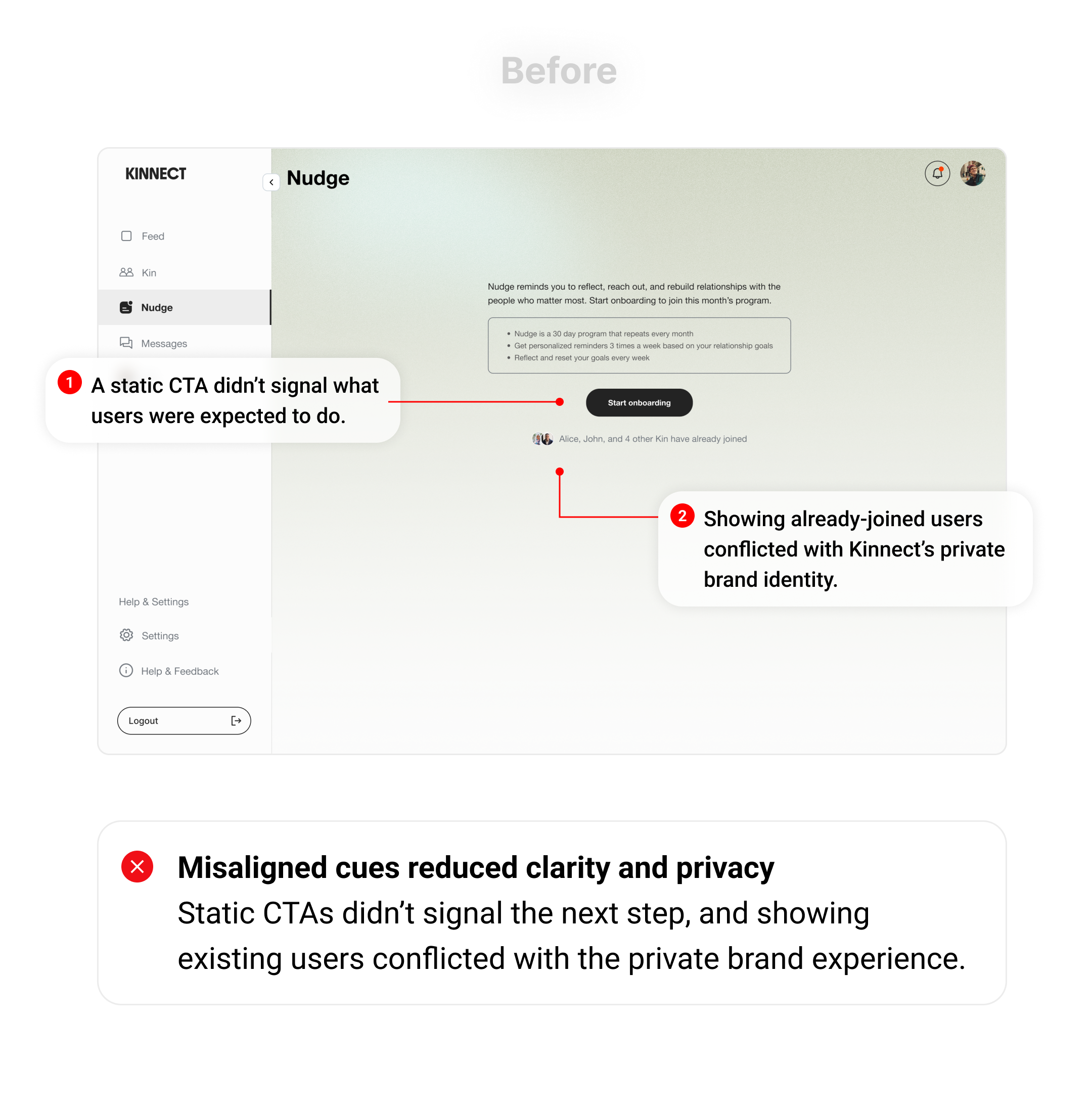
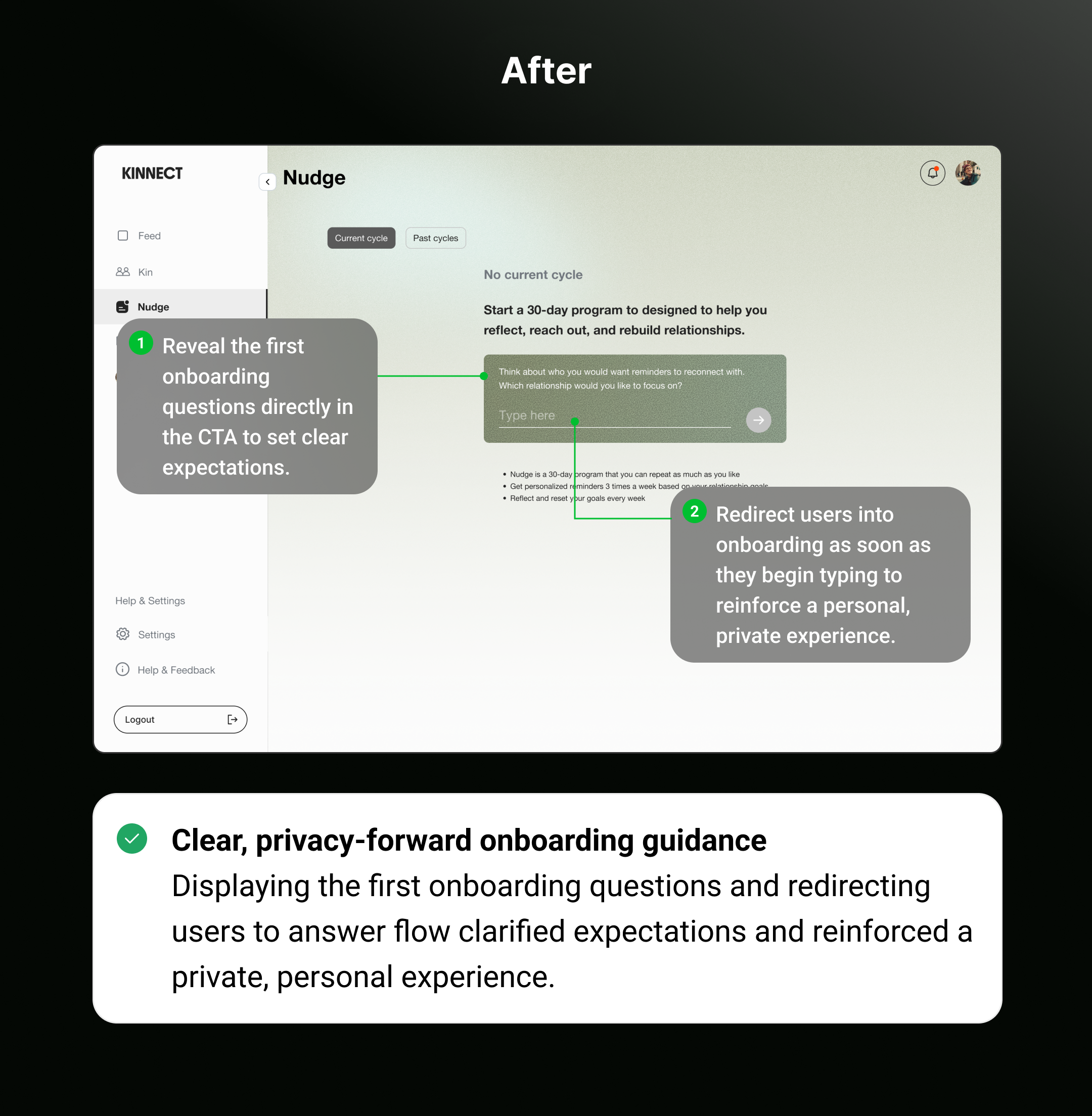
User feedback 02
Need to update here
Need to update here
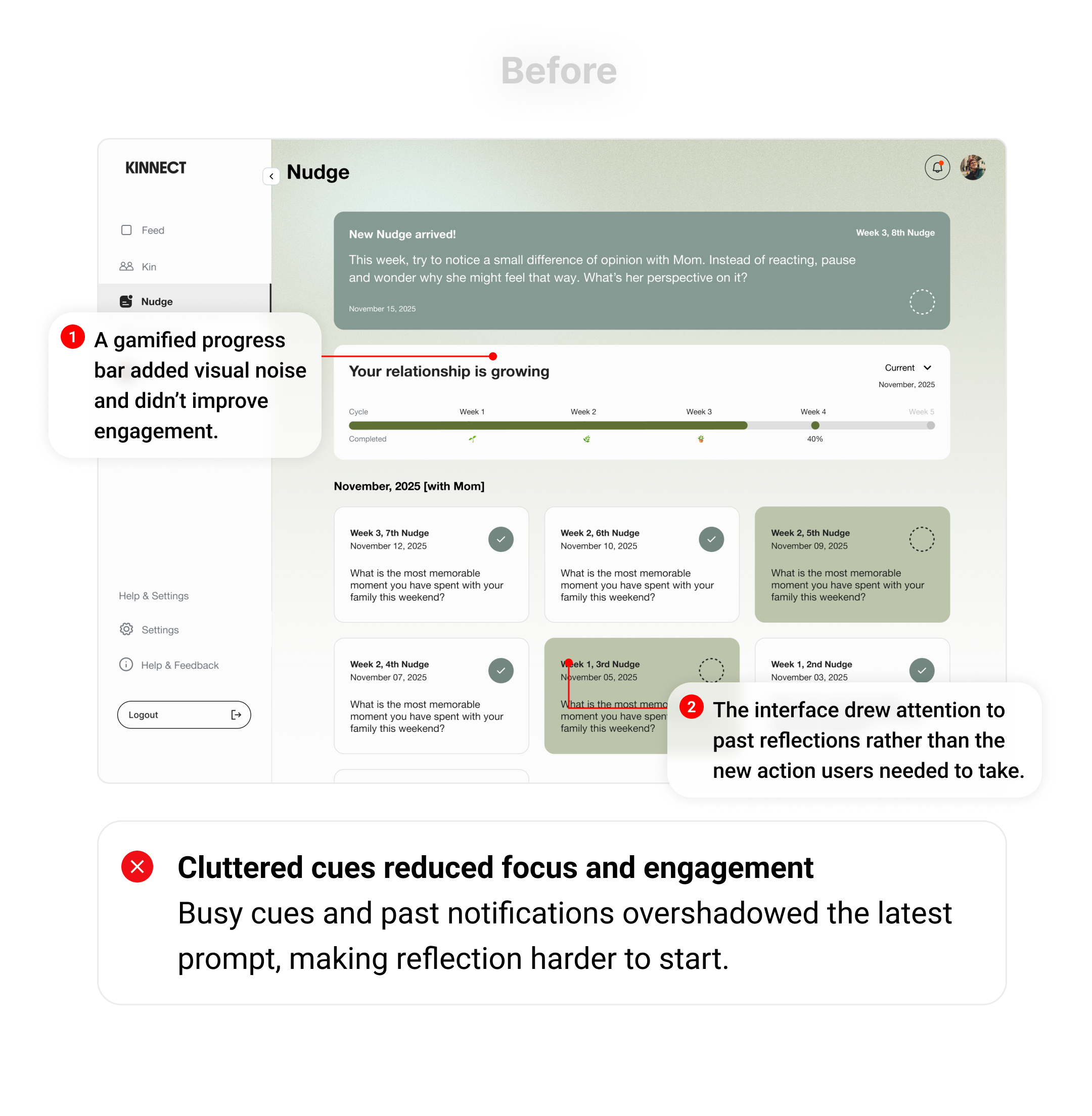
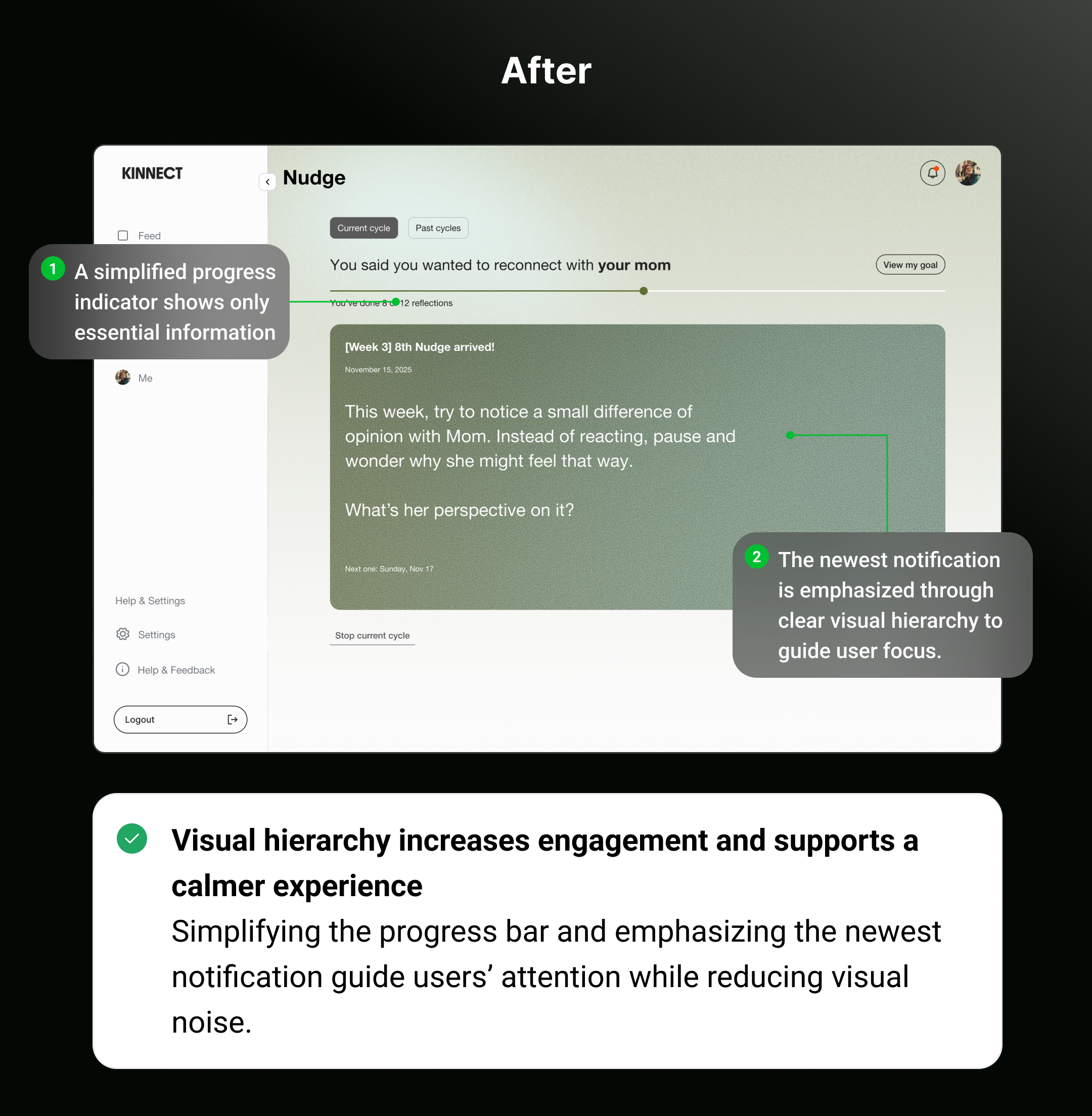
User feedback 03
Need to update here
Need to update here
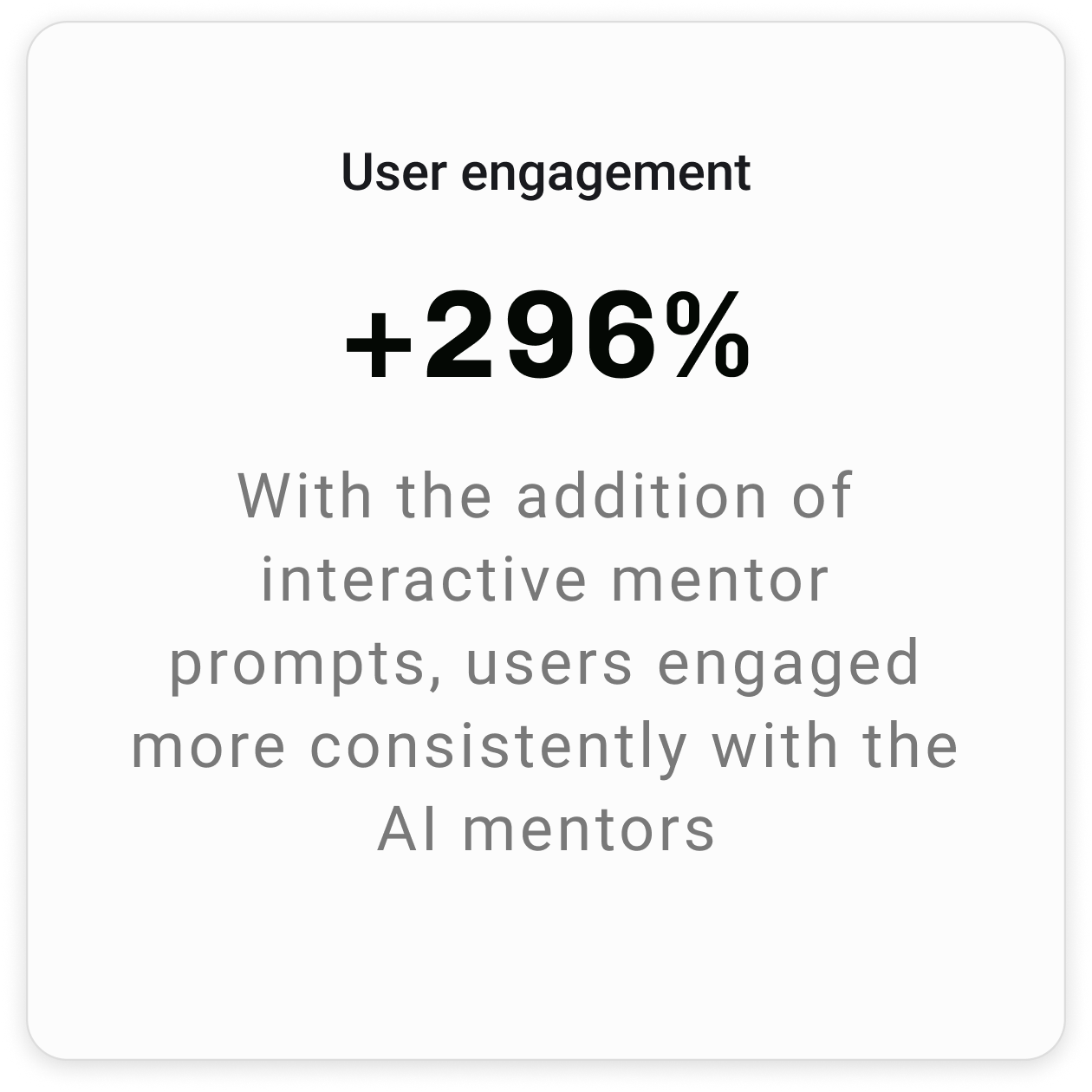
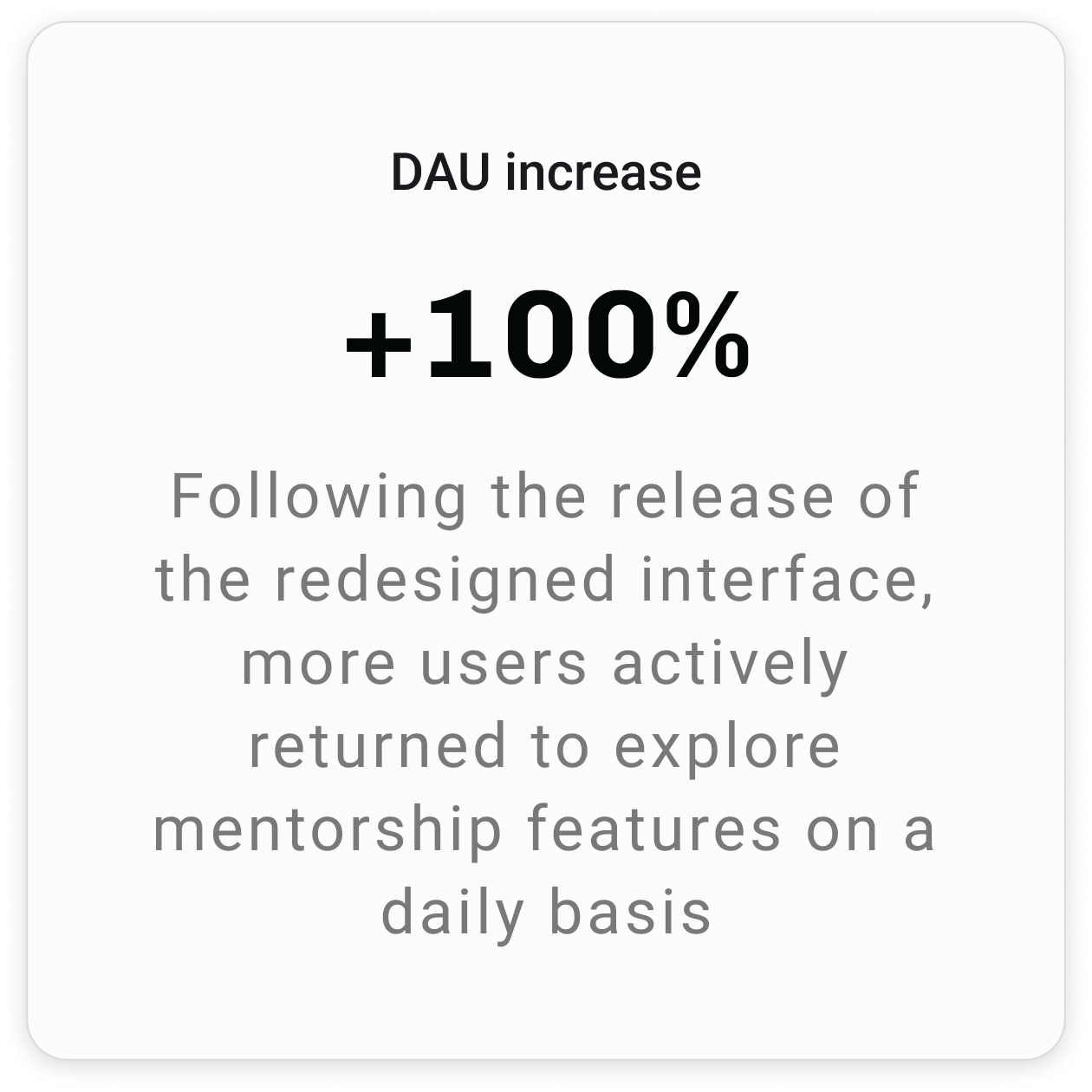
Impact
Need to update here
Next step
Expanding to the mobile layout by minimizing iterations.